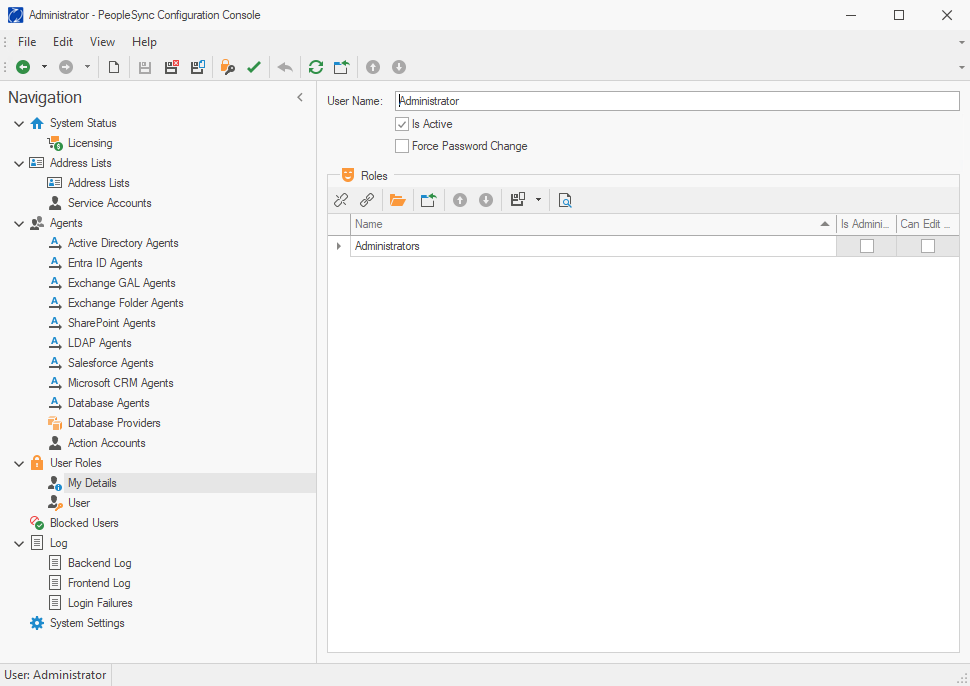
The PeopleSync Console has two layers of security. First, a user that needs to access the PeopleSync Console must be a member of the PeopleSync administrators group specified during setup.
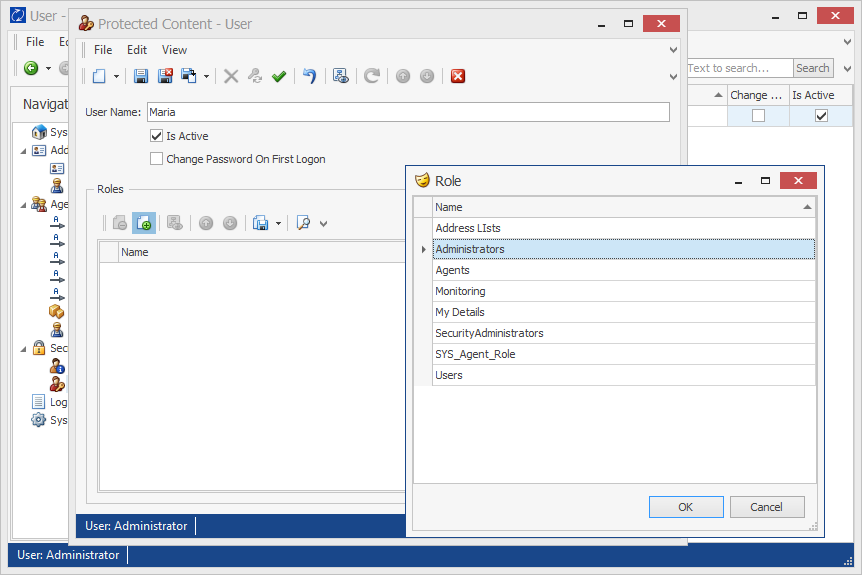
In addition to that, users with specific roles can be created in the PeopleSync Console. During installation, an administrative user named "administrator" with an empty password is created. This user can add further users with restricted permissions – e.g. the right to only manage address lists or agents.
Users can be managed in the application's Security section.
User Management
In Security > Users , the following actions can be performed:
-
Create administrative user
-
Manage administrative users
-
Activate / deactivate administrative users
-
Set user passwords
-
Assign administrative roles
Roles
The following built-in roles can be assigned to administrative users in the Security > Users section:
-
Administrators: Full permissions
-
Address Lists: Create, delete, and manage address lists. Manage Address list permissions.
-
Agents: Create, delete, and manage PeopleSync Agents
-
Monitoring: View the PeopleSync log
-
My Details: Use the My Details tab
-
Security Administrators: Manage users and assign roles
-
Users: Membership in all roles, except Administrators and Security Administrators.
My Details
The Security > My Details tab shows information about the currently logged-in user. Users can change their own password and see the roles they are a member of.