
Denial of service protection (DoS protection) is a security feature of the PeopleSync Frontend Server. Upon detecting malicious activity, it blocks a combination of username and IP address for a set time and delays the response to the attacker.
If within 5 minutes a user tries logging in with a wrong password 5 times, the combination of username and IP address will be blocked for the time specified in System Settings.
DoS protection is not enabled by default and must be specifically enabled in System Settings. Blocked users can be unlocked in PeopleSync Console.
Example:
An attacker performs a brute-force attack and tries logging in with user “Alice” from IP A. After 5 unsuccessful login attempts within 5 minutes, PeopleSync blocks and delays further login attempts for user “Alice” from IP A for a set amount of time.
Meanwhile, the legitimate user “Alice” can still log in from IP B or IP C.
Configuring DoS Protection
Denial of service protection can be enabled and disabled in System Settings with the following parameters:
-
Enable Denial of Service Protection: Enables denial of service protection.
-
Lockout Threshold: The number of failed login attempts after which the combination of username and source IP will be blocked.
-
Lockout Duration: The duration in minutes a user is locked out when denial of service protection is enabled.
-
Reset Block Counter After: Number of minutes that must pass from the first failed login attempt until the failed login counter is reset.
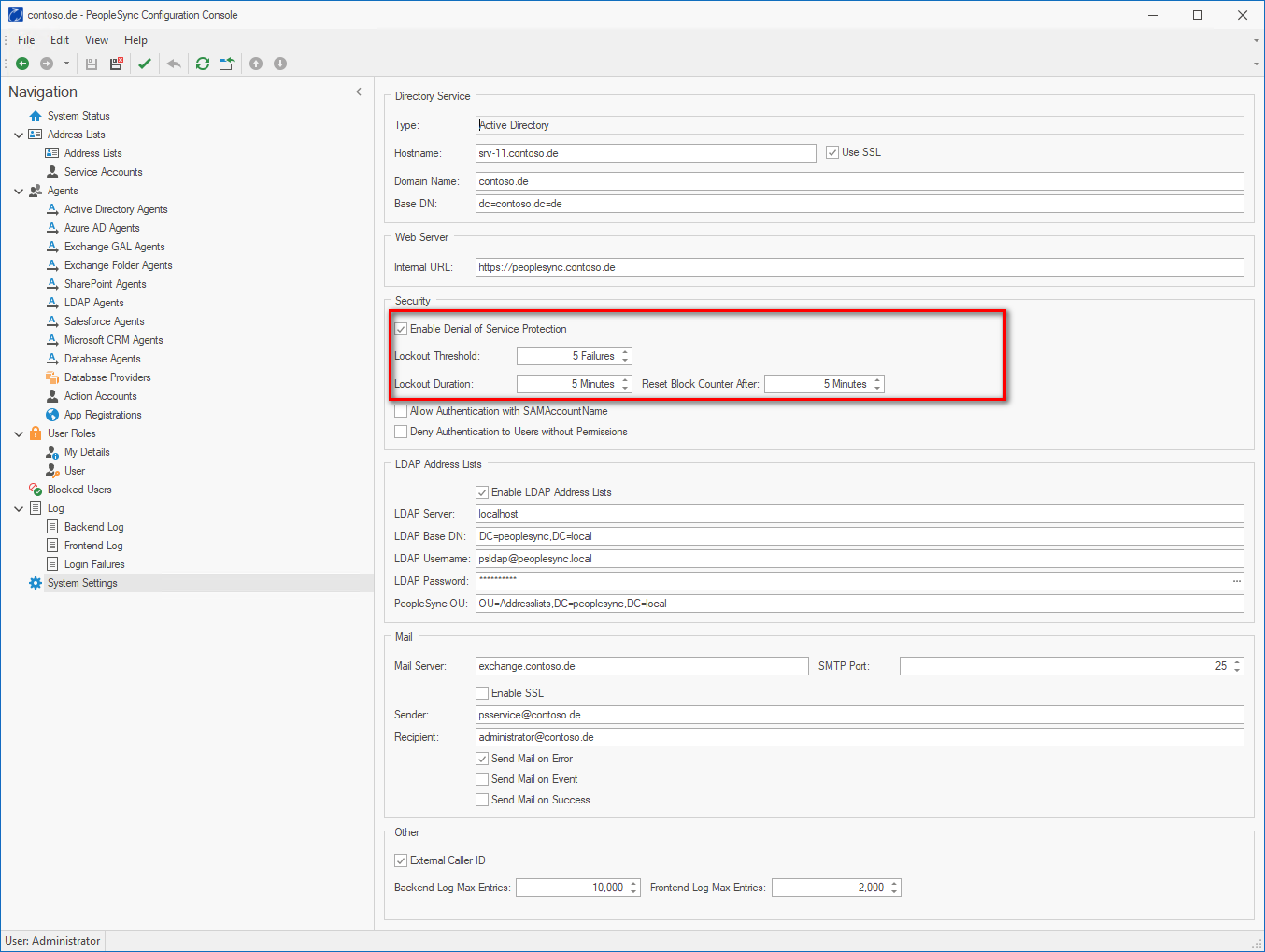
“Reset Block Counter After” cannot be less than “ Lockout Duration”.
Unlocking Users
Blocked users can be viewed and unlocked under “Blocked Users”.
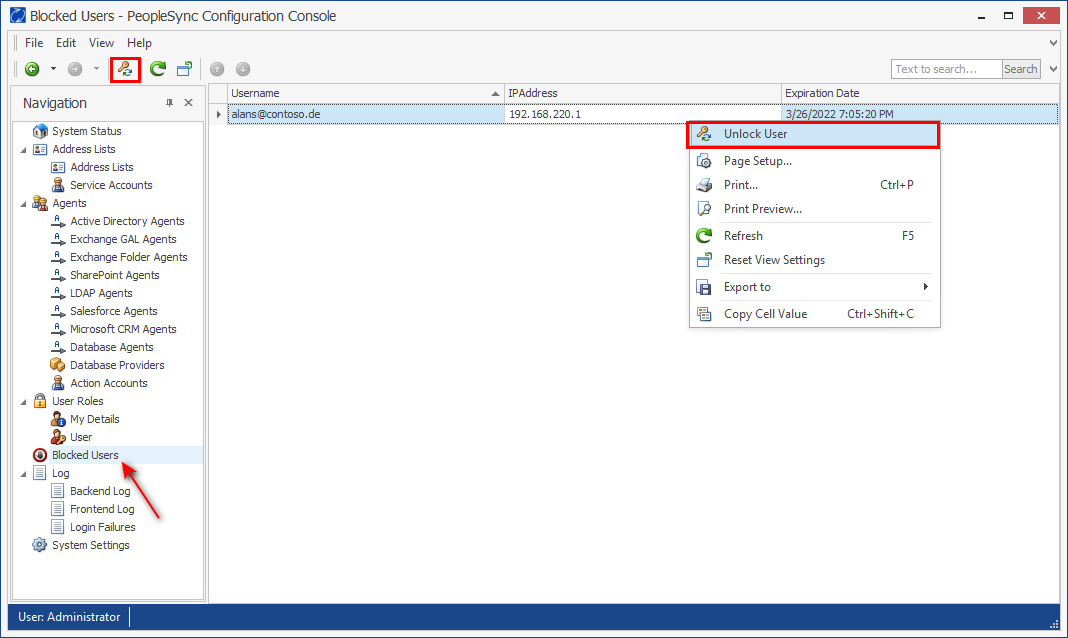
A combination of user and IP can be unlocked by selection “Unlock user” in the context menu or by clicking on the corresponding icon in the toolbar.
DoS Protection Logging
Denial of service protection events are logged in the PeopleSync Frontend Log and can be seen in the PeopleSync Console under Log > Frontend Log.
When a user is blocked the following event is logged with level “Warning”:
Too many authentication failures for user…
When the user tries logging in while being blocked, the following event is logged with level “Warning”:
Refusing access. User X (IP) has been blocked.