
To manage Address Lists in the PeopleSync console, navigate to the Address Lists menu item in the navigation bar.
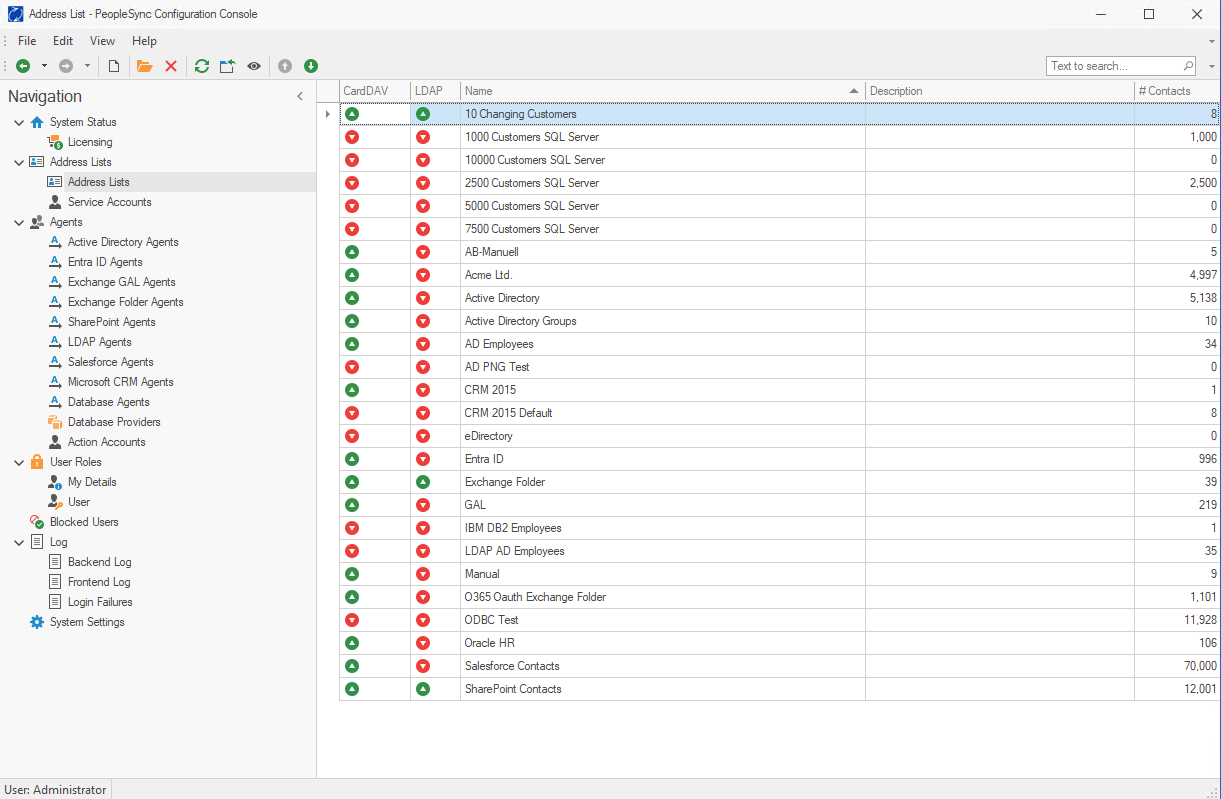
Address Lists in the PeopleSync console can be managed through the Address Lists menu item in the navigation bar. Administrators can create new Address Lists, provide meaningful names for display on users' mobile devices, and add descriptions for internal administrative purposes.
Each Address List requires the assignment of a Service Account, which is used by PeopleSync Agents to access and modify the list. Users can be granted modify permissions when an Agent is not assigned, allowing them to edit and share contacts directly.
Additionally, the Address Lists section displays the total number of contacts contained within each list. A preview feature is also available, allowing users to quickly view contact details in the main console.
Service Accounts
For the usage of an Address List in PeopleSync, you will need a Service Account first. The Service Account is used to read from and write to the Address List in the database.
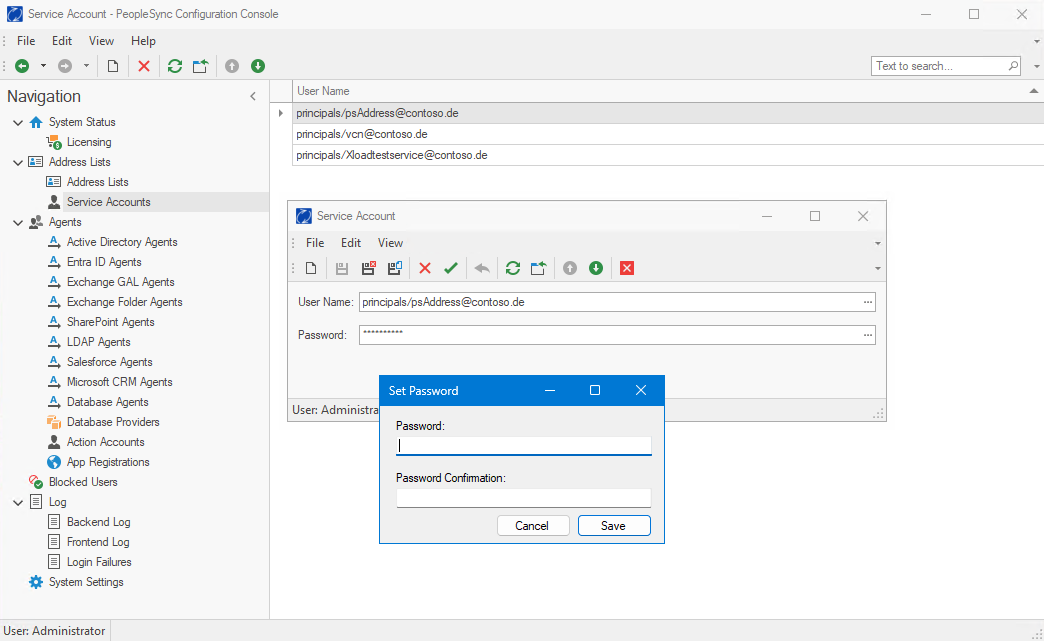
The User Name can be chosen from a directory service with the […] button. To enter the Password, click on the […] button. The password will be encrypted before it is stored in the database.
Address Lists
An Address List is a logical container that holds contacts of a certain type. Every Agent needs a dedicated Address List to store its data. It is also possible to create an Address List that is not serviced by an agent. In this case, users can be given modify permissions so that they can edit and share contacts.
To create Address Lists in the PeopleSync console, navigate to the corresponding menu item in the navigation bar.
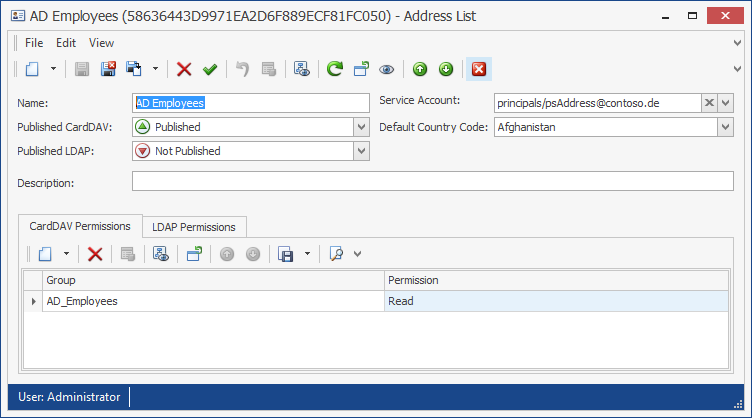
Each Address List has two text properties. The Name is the name of an Address List. The name will be shown on the mobile device. Therefore, it is recommended to choose a name that has meaning to users. The Description is used for administrative purposes only. Users will not see the description.
You need to set a Service Account. It is used by PeopleSync Agents to access the address list. The Service Account always has Modify permissions.
Address Lists can be published to the PeopleSync CardDAV server, as well as to an LDAP directory. Using the Published CardDAV and Published LDAP properties, you can control if the Address List is visible by clients.
If Published CardDAV is set to “Not Published”, the address list will no longer be shown in the list of available address lists on the client. However, clients that already have subscribed to this address list will in general continue to see the address list.
In contrast, if Published LDAP is set to “Not Published”, the Address List does not exist in the LDAP directory. If the Address List was previously published in LDAP, it will be deleted from LDAP.
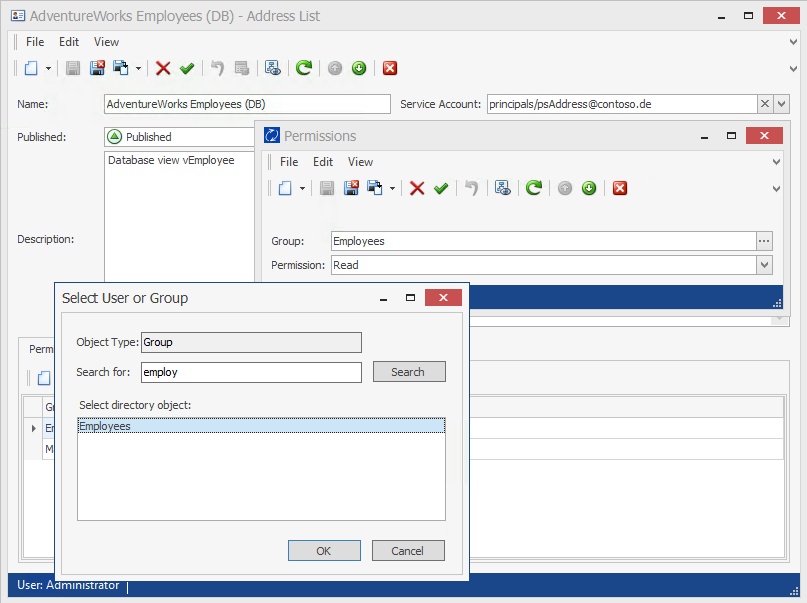
In the CardDAV Permissions and LDAP Permissions sections you can maintain the access control list for an Address List. You can grant permissions to one or several groups from your directory service. For LDAP, only read permission can be assigned, whereas for CardDAV, the following permission levels can be granted:
-
Read
-
Write
-
Modify
Groups can be managed in Microsoft’s Active Directory Users and Computers, PowerShell, LDAP administration or third-party identity management solutions.
To to view an address lists content, click on the “eye” icon in the toolbar.