
This article shows how to enable or disable debug logging on the frontend server.
📘 Instructions
-
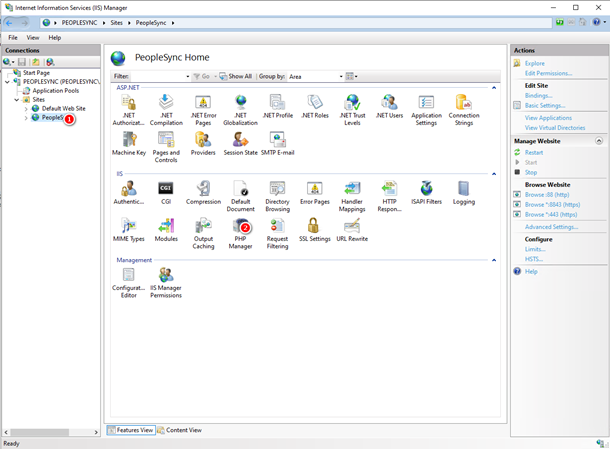
In IIS Manager, go to the PeopleSync Website.
-
On the right, click on PHP Manager.
-
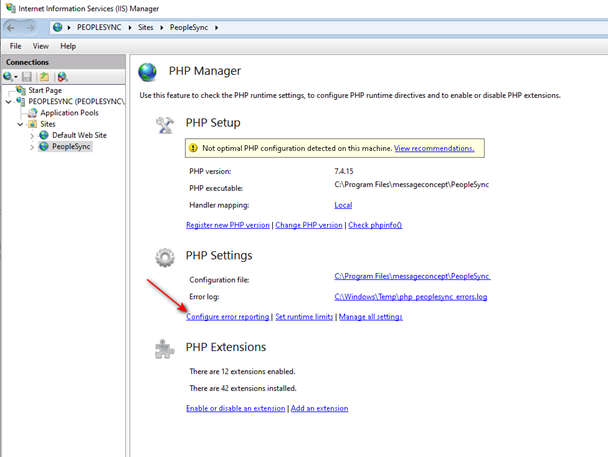
Click on "Configure error reporting".
-
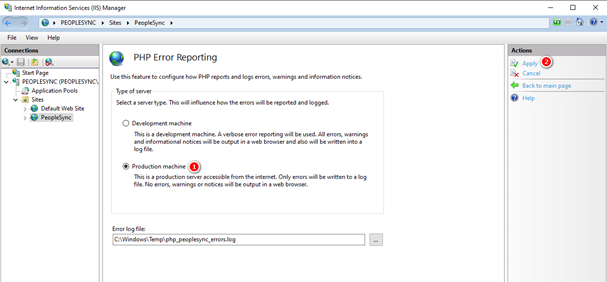
In PHP Error Reporting, to disable debug logging, select "Production Machine". To enable debug logging, select “Development machine”. Click "Apply".
-
If you you disabled debug logging and no longer need the logs, delete File c:\windows\temp\php_peoplesync_requestDump.log.