PeopleSync Documentation

Determining an AD Domain's Distinguished Name

  1. Open Active Directory Users and Computers.
    In the View menu, enable Advanced Features.
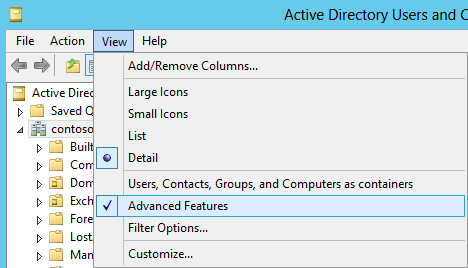
Open Active Directory Users and Computers . In the View menu, enable Advanced Features .
  1. Right-click on the Domain and select Properties.
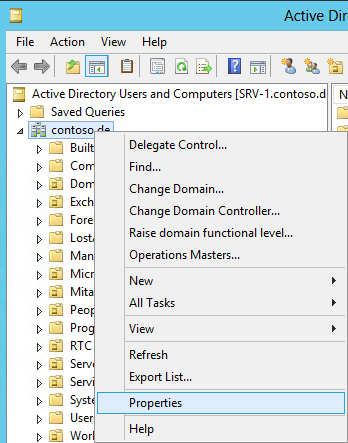
Right-click on the Domain and select Properties .
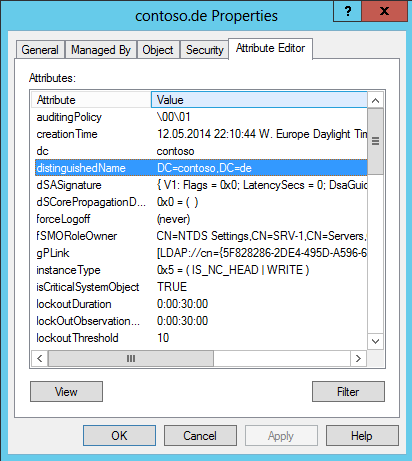
  1. Open the Attribute Editor tab.

Open the Attribute Editor tab.
  1. Double-click on the distinguishedName attribute and copy its value.