
The following steps help you establish if all PeopleSync components work.
PeopleSync Frontend
-
In System Settings, copy the internal URL.
-
Open a browser on the PeopleSync Backend server and put in the internal URL.
-
A popup should appear prompting you for credentials.
-
Now enter the service account credentials from Address Lists > Service Accounts.
-
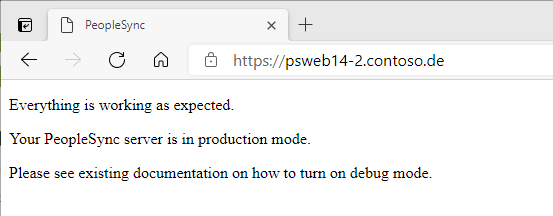
If authentication is successful, a message is shown saying "Everything is working is as expected":
PeopleSync Service
-
On the Server where the PeopleSync Service is installed,check whether the PeopleSync Service is running.
-
If the service is not running, check the Application log for error messages from source PeopleSync_Agent.
PeopleSync Console
-
Open the PeopleSync Console and log in.
-
If you can open the console and log in, the console is configured correctly. Otherwise, an error message will appear.
PeopleSync Agents
-
Open the PeopleSync Console and log in.
-
Manually start an agent from the console.
-
Open Log and verify that Agents have run successfully.