Problem
The GUI filter editor in LDAP agent does not provide the same flexibility as an LDAP object filter.
Solution
To use an object filter in LDAP agent, please follow these steps:
-
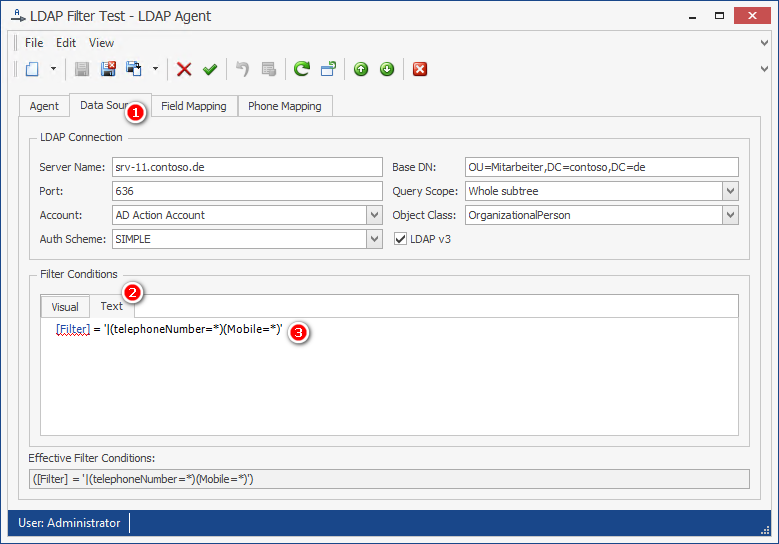
In PeopleSync Console, open the LDAP Agent in question and go to the Data Source tab.
-
In Filter Conditions, switch to the Text tab.
-
Enter the object filter using the following syntax:
[Filter] = '<ObjectFilter>'(replace<ObjectFilter>with your filter)