
🤔 Problem
After updating PeopleSync to a newer version, the PeopleSync Service does not start and when opening PeopleSync Console, an error is displayed.
The following entry is logged in application event log:
Log Name: Application
Source: PeopleSync_Agent
Event ID: 0
Description:
Service cannot be started. DevExpress.ExpressApp.Updating.CompatibilityException: An error with number 1110 has occurred.
Error message: The database version is older than the application version. The database needs to be updated.
...
Also, the following message is shown when opening the PeopleSync Console:
The application cannot connect to the specified database, because the latter doesn't exist or its version is older than that of the application.
This error occurred because the automatic database update was disabled when the application was started without debugging.
...
🌱 Solution
This is because the database wasn’t updated to a newer version during update of the backend. The database can’t be updated when the account running backend setup doesn’t have dbowner permission on the PeopleSync database.
To fix this issue, please do the following:
-
Make sure that the account you are logged in with on the backend server does have dbowner permission on the PeopleSync database.
-
Open an elevated command prompt and run the following command:
cd "c:\Program Files\messageconcept\PeopleSync\Console" -
Determine the correct version of dbupdater by running the following command:
dir ..\DBUpdater\DBUpdater.*.exe
Example output: DBUpdater.v23.1.exe -
To update the PeopleSync database, run the following command and press <Enter> when prompted:
..\DBUpdater\<Your DBUpdater version> PeopleSync.Console.dll.config
e.g.
..\DBUpdater\DBUpdater.v23.1.exe PeopleSync.Console.dll.config
The output will look similar to this: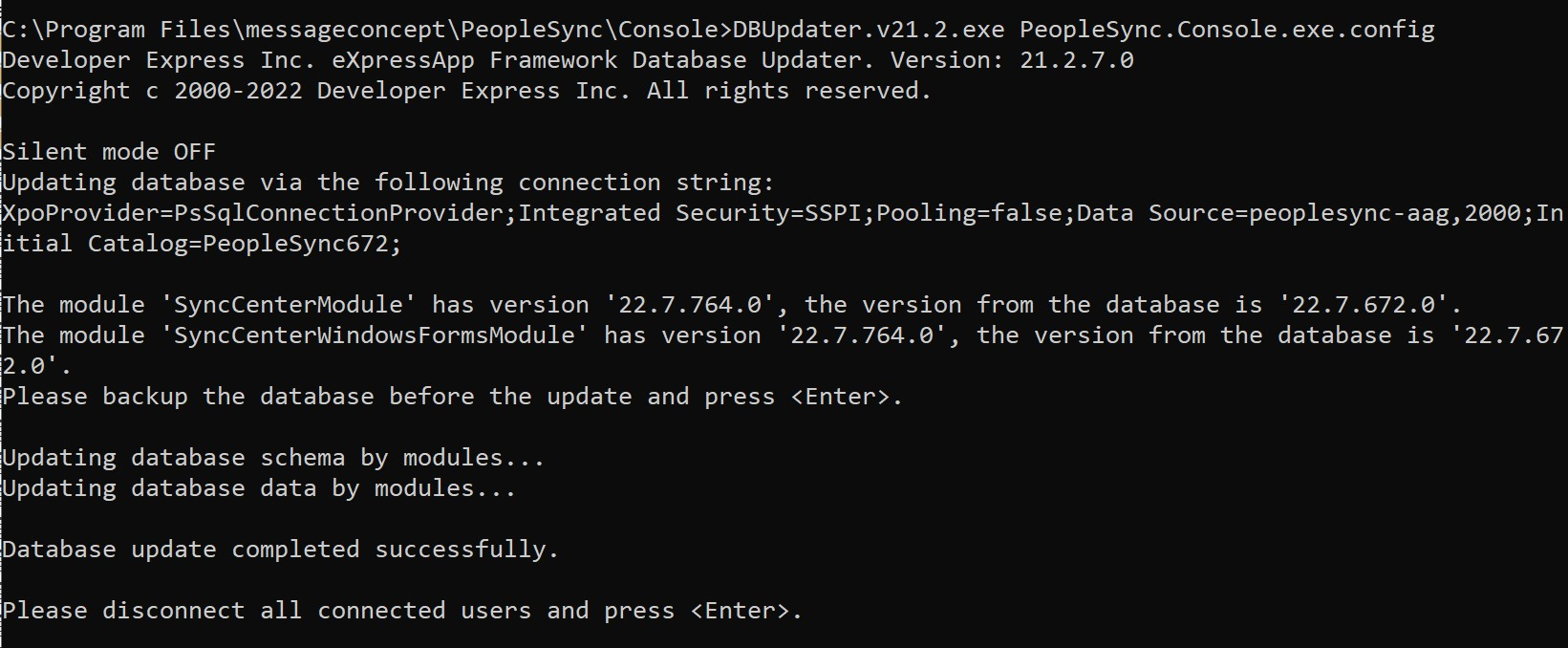
-
Restart the PeopleSync Service